Lusion — Generate on-brand marketing assets from a prompt
Lusion is a generative AI platform for marketing teams who need to produce high-quality visual content at scale without sacrificing brand consistency. Set up your brand identity once and Lusion uses that foundation to generate social posts, ads, and product visuals that stay on-brand by default.
The Problem
Creating on-brand content at scale is expensive and slow. Briefing designers, waiting on revisions, and enforcing brand guidelines across every asset creates a bottleneck that most teams work around — often at the cost of consistency.
The Insight
Brand consistency isn't a design problem — it's a system problem. When the brand's rules are encoded into the tool itself, every output is compliant by default. The creative decision becomes what to make, not whether it looks right.
Product VIsion
A creative workspace where any team member — not just designers — can generate professional, on-brand assets from a prompt. Fast enough for daily content needs, consistent enough to hold up across campaigns and markets.
ONBOARDING
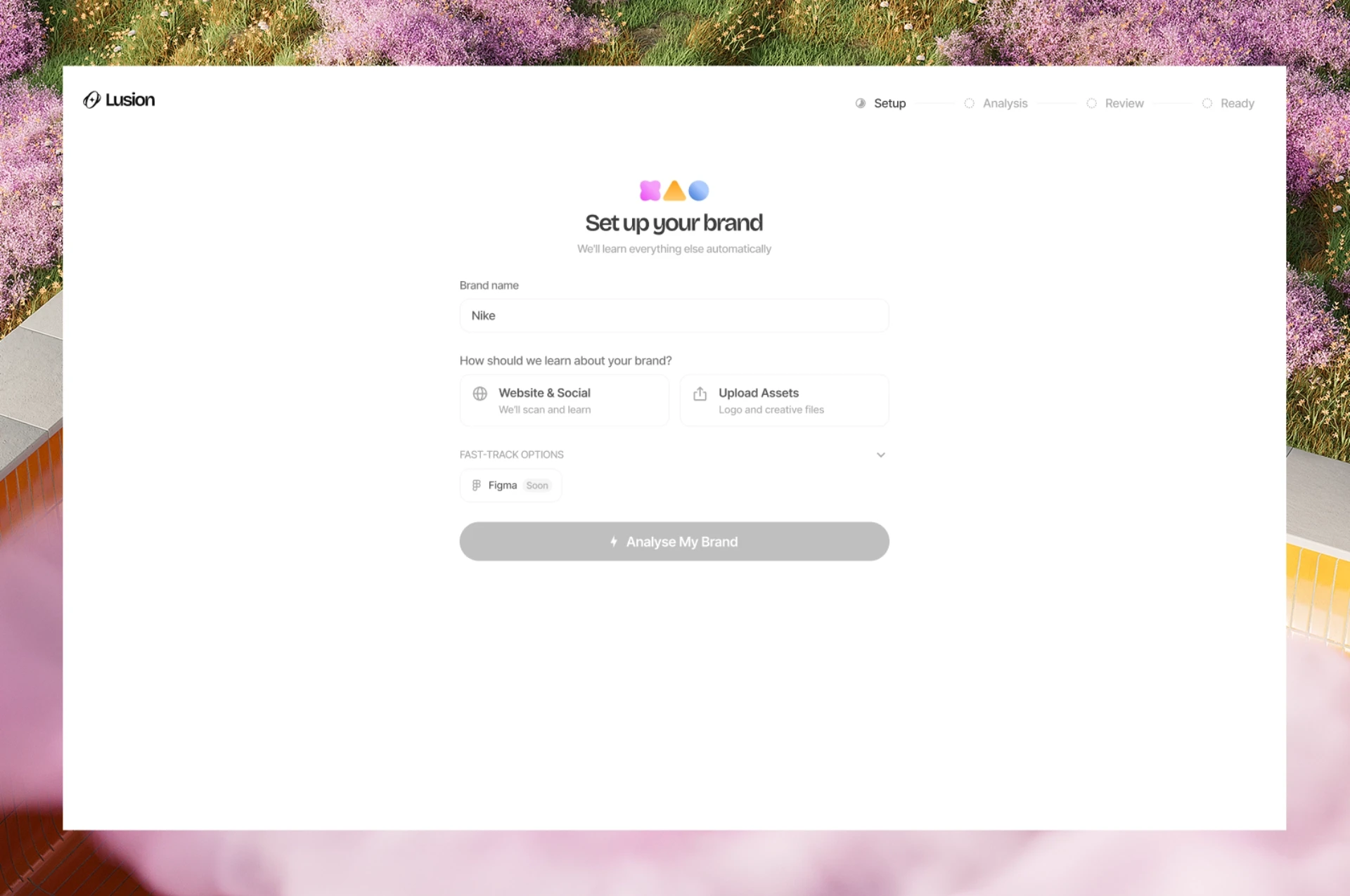
Teaching the platform your brand
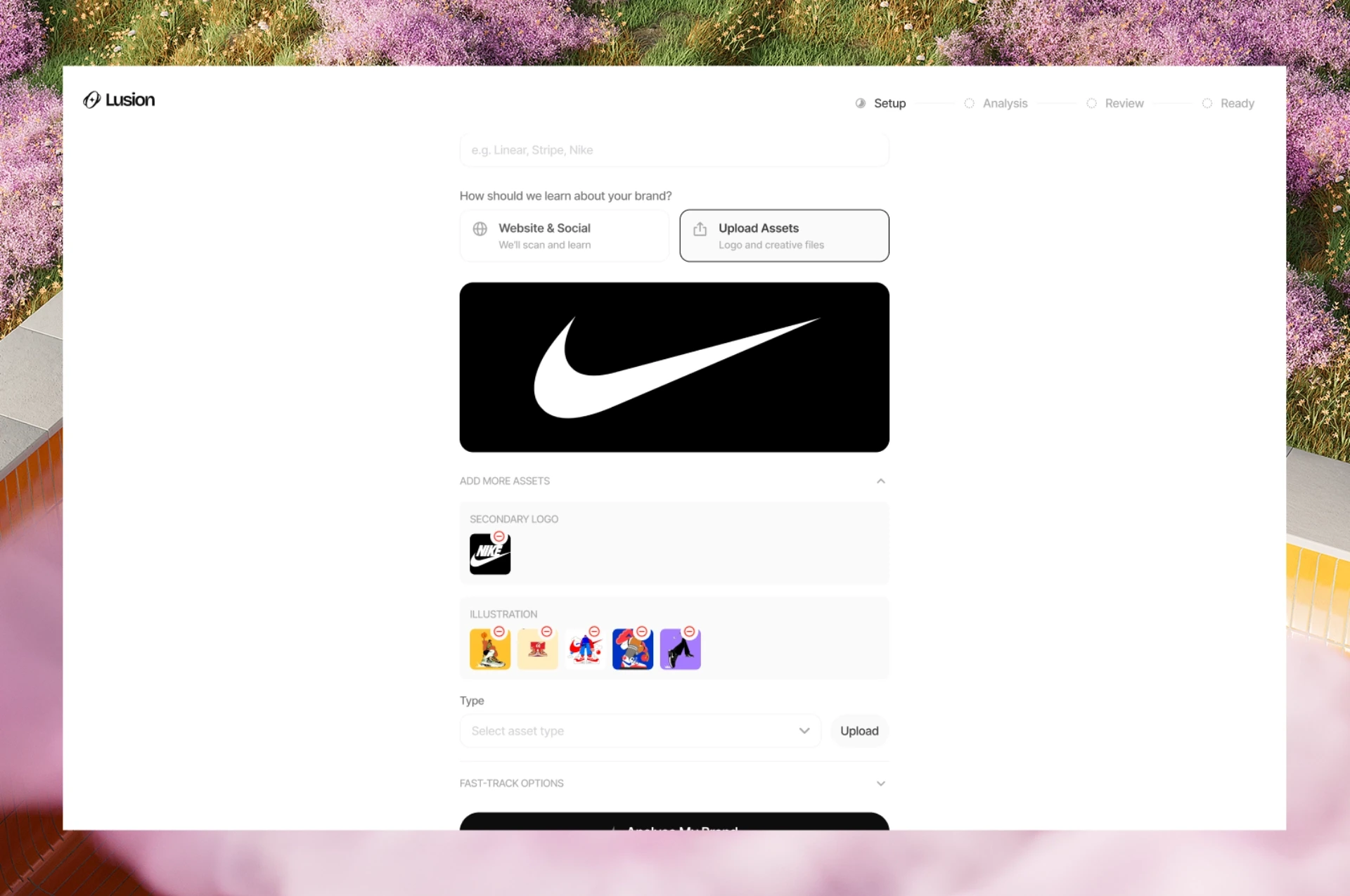
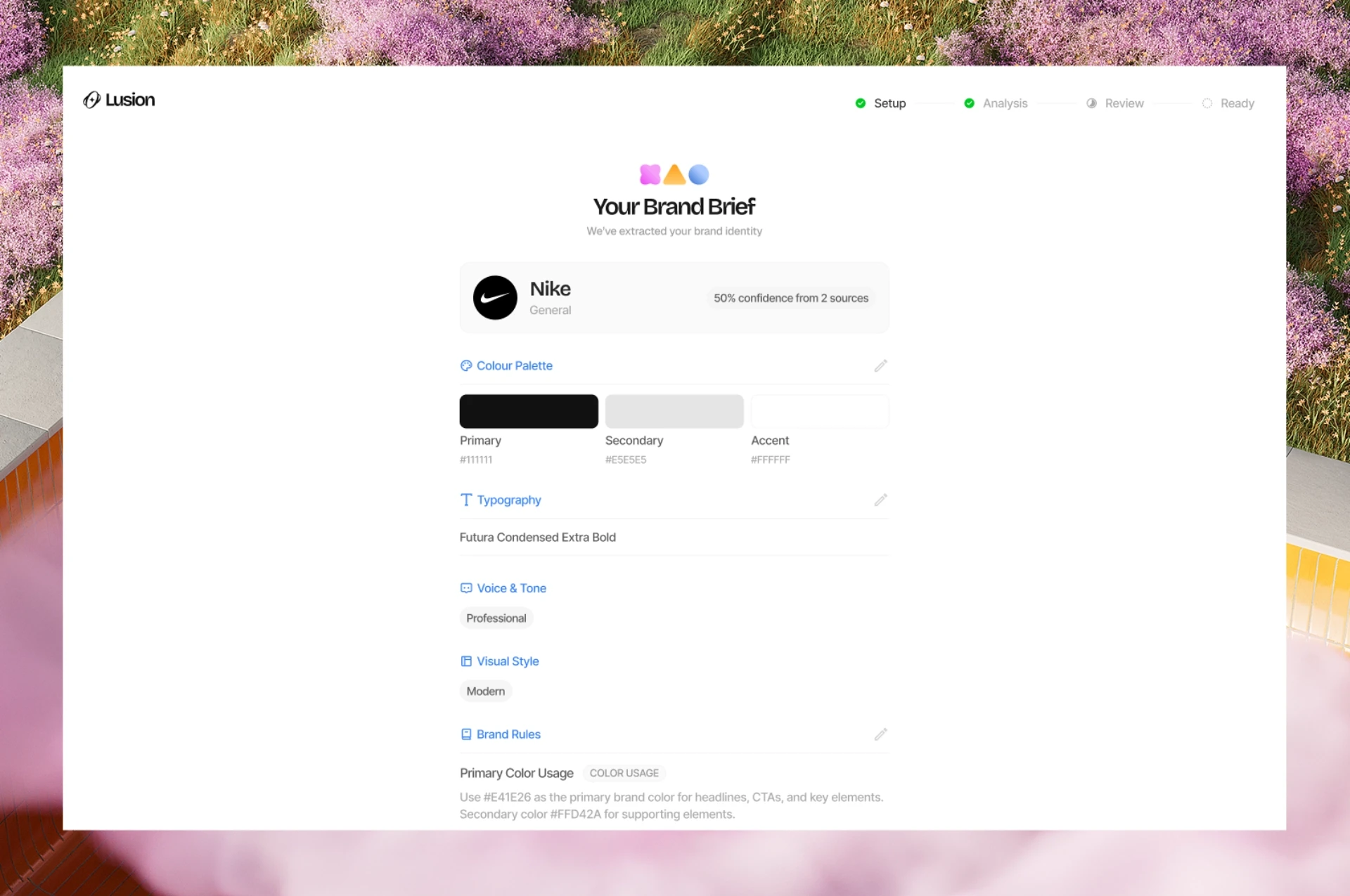
Onboarding is the most critical moment in Lusion's experience — it's where the AI learns what "on-brand" means for this user. Rather than asking for arbitrary preferences, each step collects something with real downstream consequences: a logo that gets extracted and verified, a brand brief that sets the guardrails for every generation. The logo confirmation step — "Does this look right?" — is a deliberate trust checkpoint. It signals to the user that the AI is paying attention and won't proceed until the foundation is accurate.
What the user should understand: What I set up here directly shapes every asset the platform generates for me.
What the user should feel: Confident the system knows my brand — not just my name.
DASHBOARD
Prompt as the primary interface
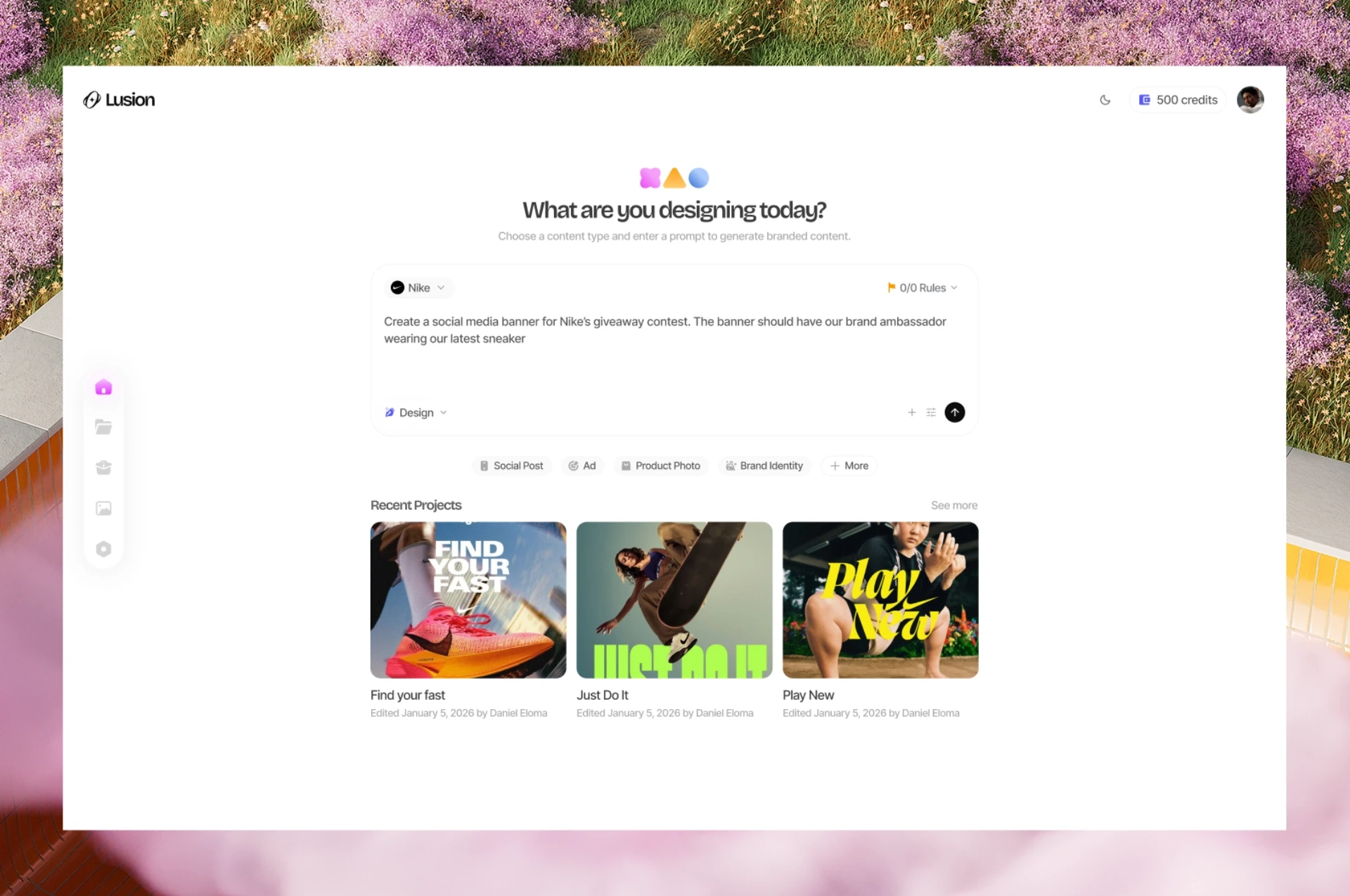
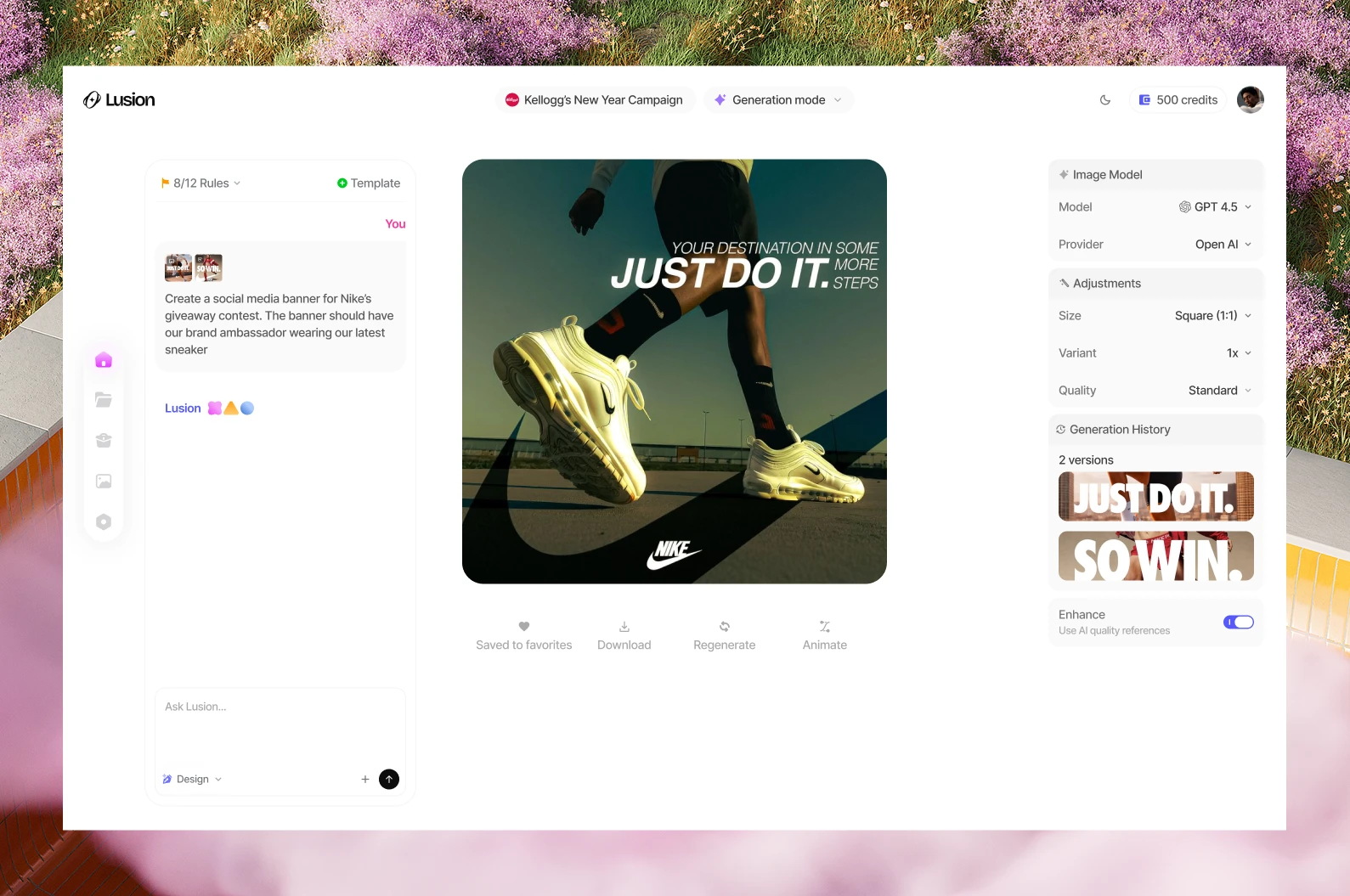
The dashboard resists the temptation to front-load options. A single open prompt field — "What are you designing today?" — makes the creative act feel immediate and low-friction. Content type filters sit below as secondary guidance, not gatekeepers. The generation view reinforces this: prompt on the left, output on the right, model controls tucked in a side panel for those who want them. The design bets that most users want to describe what they need, not configure how it gets made.
What the user should understand: I describe what I want — the platform handles the brand rules and production quality.
What the user should feel: Like a creative director, not a tool operator.
BRANDS
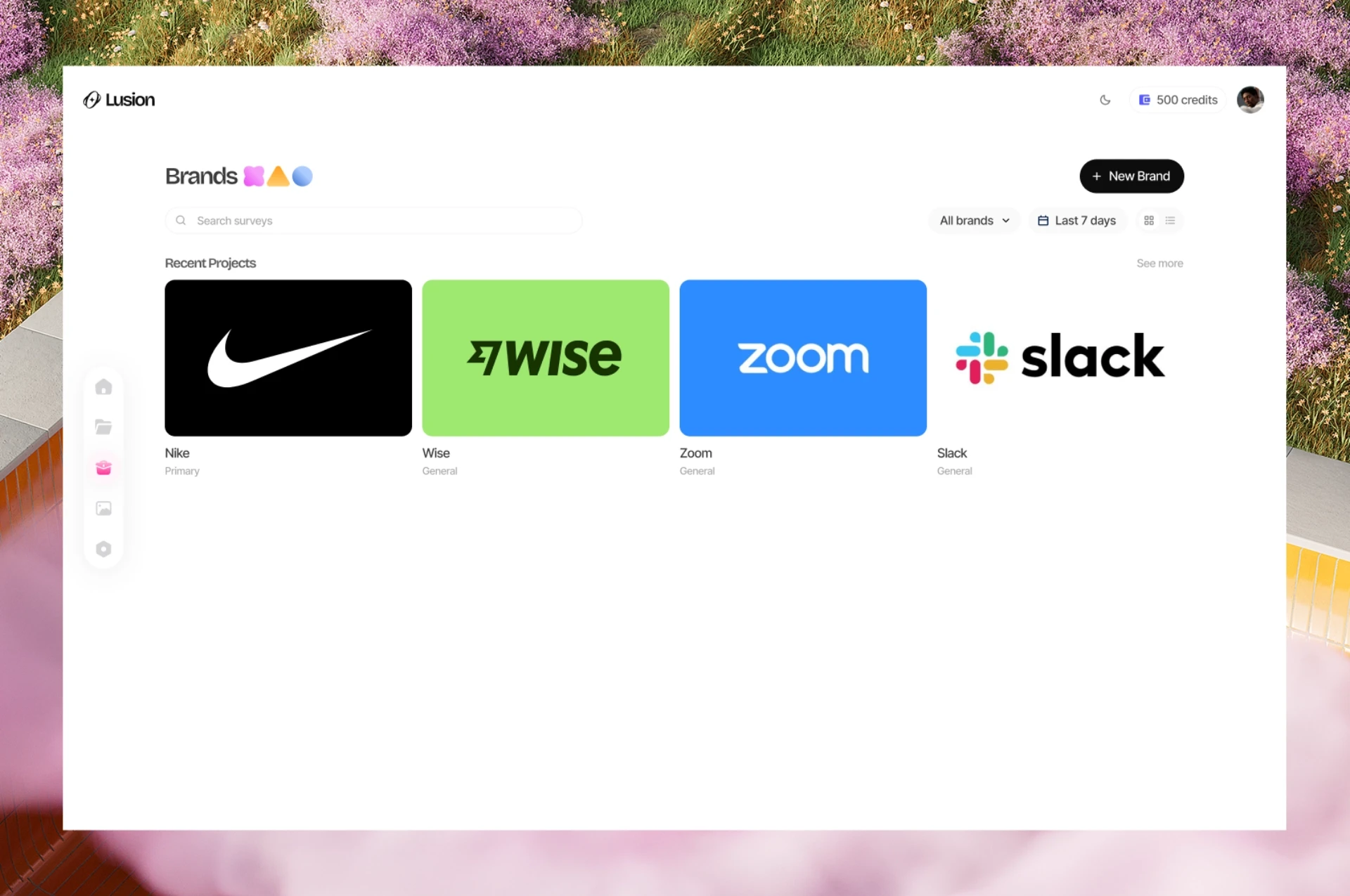
Brand as the organizing unit
Making "Brands" a first-class section — not a settings page — is an intentional structural decision. It positions the brand workspace as the lens through which all content is created, not an afterthought. Each brand is represented by its logo on its own background, making the library feel like a portfolio rather than a list. This matters for agencies and multi-brand teams: it makes context-switching feel deliberate, reinforcing that assets generated in one brand's workspace belong to that brand's ruleset and no other.
What the user should understand: Every brand I manage lives here, fully separated, with its own identity and assets.
What the user should feel: Organized and in control — even when managing multiple clients or campaigns simultaneously.